














RKI Email / Text Generator
Fixed Alarm Notification System
Features
- Monitors sets of relay contacts
- Send email and / or text messages during alarm events
- Send email and / or text messages for power
failure indication - Send custom messages
- No monthly fees
- Uses existing 2.4 GHz WiFi network
- Unit can be programmed for a time delay
- Works on normally open or normally closed
dry contacts - Activated buzzer
- Powered by 110 / 240 VAC

Email/Text Generator Datasheet [PDF]
85-5201-01 Email/Text Generator Manual [PDF]
85-5201-02 Email/Text Generator Manual [PDF]
82-5202-XX Email/Text Generator Manual [PDF]
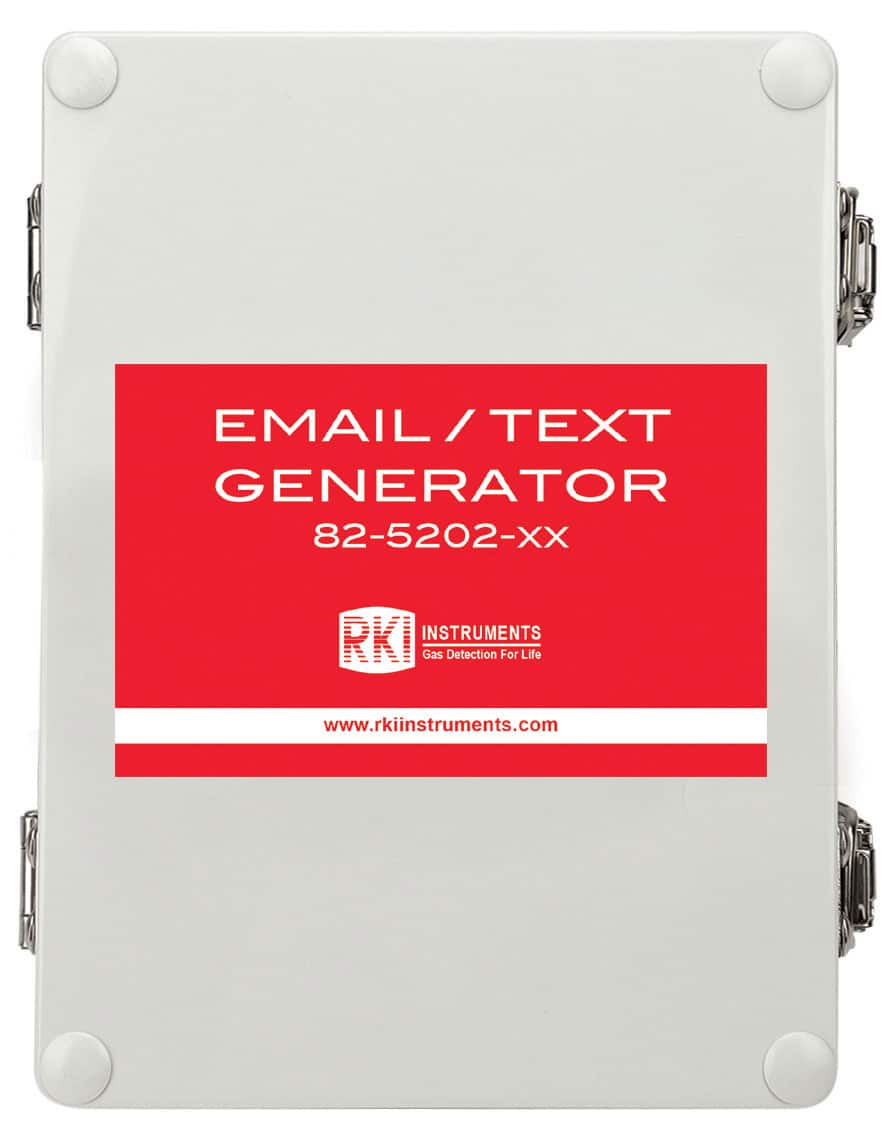
The RKI Email / Text generator is an accessory device that can be used in conjunction with any alarm system that provides a relay contact closure for an alarm condition. It will accept 1 or 2 different contact closures, and send a customized message for each closure that could be used to indicate the type or severity of the alarm.
The user programs what message is sent to the recipients of the texts or emails. The Email / Text generator can be programmed to send emails and texts to anyone desired so that other persons can be notified of an alarm condition on the gas monitor or other controller. The emails and texts can be sent to 12 contacts.
The Email / Text generator utilizes a local WiFi connection and requires a working WiFi network to operate. No software required to program the unit, simply connect to the WiFi network that is generated by the Email / Text generator and you will be directed to a website to program the device. There are no monthly subscription fees required to operate this unit.
Related Services
- Design, Consultations, and Engineering
- Installation
- Start-up
- Training
- System Maintenance
Application
- Any installation where it is necessary to notify someone remotely by email or text of an alarm condition
Specifications
| Input Power | 110 / 240 VAC | ||
| Current Draw | 200 mA max | ||
| WiFi | 2.4 GHz (does not support 5 GHz networks) | ||
| Contacts | 1 or 2 input contact ports (depending on the version ordered) | ||
| LED and Buzzer Indicators | LED Flashing Orange and Buzzer Emitting a Long Beep (after the side button has been held for at least 5 seconds) | Device has entered initial setup mode. | |
| LED Flashing Orange (upon startup) | The device is trying to connect to a WiFi network but either has not been set up or cannot find the assigned WiFi. | ||
| LED Solid Green | The device is on and functioning properly. | ||
| Dimensions | 10.4” (26.5 cm) H x 6.5” (16.5 cm) W x 4.0” (10.2 cm) D | ||
| Housing Construction | 4X NEMA, IP-67 | ||
Settings Options
| Sensor Power & Relay Settings | Switch Sensor | – Normally Closed (alarm triggered when contacts open)
– Normally Open (alarm triggered when contacts close) |
|
| Sensor On/Off | On or Off | ||
| Schedule Settings | – Always
– As Scheduled (If set to As Scheduled, the device can be configured to send alerts on certain days and within specific time windows. Two start/end periods can be saved per email/text generator (24-hour format). |
||
| Set Custom Messages | The text of the alarm message and reset message can be edited using these fields. | ||
| Alarm Delays (optional) | – Delay (value in seconds) between alarm triggered and an alert being sent
– Delay (value in seconds) between an alarm reset and an alert being sent |
||
| Buzzer | – Enabled or Disabled
– Snooze alarm after a period of time (value in minutes) |
||
| Time Zone | The generator’s time zone can be adjusted | ||
| Notifications | Email/Text
Notifications |
– On or Off
– Text field for email and/or phone contacts |
|
| Resend Alerts | Period between resending alerts (value in minutes) | ||
| Alarm Reset
Notification |
– On or Off
– Sends notifications after an alarm is reset |
||
| Power/WiFi
Outage Notification |
– Sends a notification if a power/WiFi outage lasts more than a set period of time
(value in minutes) – Optional: Text field for e-mail and/or phone contacts that will receive notifications during power/WiFi outages
Note: If this text field is left blank, the generator will only send power/WiFi notifications to the primary e-mail associated with the generator’s account. To prevent all power/WiFi notifications from being sent, enter “skip” into the |
||


